PHOTOSHOP II FOR PHOTOGRAPHERS
CS4\CS5
$49.00 + GST (Half Price)
Objectives:
This workshop is aimed at intermediate and advanced level of photographers that want to be 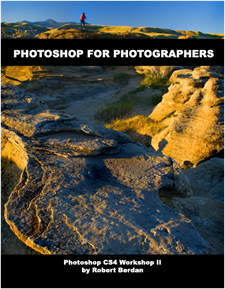 able to apply more control over their images in photoshop.The course includes a number of creative techniques such as digital Ortons, convert to infrared, enhancing dynamic range and more. The course assumes users have used photoshop before and have a basic knowledge of its main tools or that you have completed the photoshop I workshop. The workshop includes notes with step by step instructions, tutorial image files and both embedded movie clips and downloadable Quicktime movie clips showing tutorial in a step by step manner. able to apply more control over their images in photoshop.The course includes a number of creative techniques such as digital Ortons, convert to infrared, enhancing dynamic range and more. The course assumes users have used photoshop before and have a basic knowledge of its main tools or that you have completed the photoshop I workshop. The workshop includes notes with step by step instructions, tutorial image files and both embedded movie clips and downloadable Quicktime movie clips showing tutorial in a step by step manner.
Pre-requisites:
Participants in this online course require a computer (PC or Mac) with Internet access, high speed Internet to download files and request assistance by email. Participants will also need to purchase and\or install a trial version of Photoshop CS4\CS5 version. Trial versions of photoshop are only good for 30 days. The tutorials included are based on Photoshop CS4 though all the tutorials will work in CS5. Participants should have a basic working knowledge of how to use their computer before taking this course and have a basic knowledge of photoshop and it main tools.
Mac versus PC:
Photoshop CS4\CS5 is available for both systems. If you use a Mac substitute the Ctrl key for Cmd and Alt key for Opt key and you should have no problem following these tutorials. The files are provided in a zip format that you should be able to open on a Mac. Try the Demo lesson, download the files to determine if your system has what is required to perform these tutorials.
View sample of Notes including course outline in PDF format
 Download sample PDF of notes and course outline Download sample PDF of notes and course outline
Sample Lesson from Photoshop I Workshop #8 Create a BW image then return some colour from Photoshop I workshop
Photoshop II Workshop consists of 25 n lessons with step by step video clips and sample images.
Photoshop II includes 25 Lessons each with notes and video clip
2.1 Introduction to Curves.
2.2 Cross Processing using Curves
2.3 Adjustment Layers
2.4 Automated Adjustment Layers
2.5 Adjustment Layer Masks
2.6 Add a layer mask to reveal selected regions of a photograph
2.7 Create a Photomontage
2.8 Layer effects using Masks
2.9 Use scanned images to create Masks
3.0 Scan and convert an image into a high contrast Black and White Mask
3.1 Quick and easy Edge effects
3.2 Replace sky using alpha channel selection
3.3 Hand Colouring Black and White Images
3.4 Simulated Infrared Film
3.5 Replace colour command
3.6 Create Impressionistic Images - Digital Ortons
3.7 Combine Two Different Exposures to Increase Dynamic Range
3.8 Using an Action to Combine two Photos to Increase Dynamic Range.
3.9 Combine several exposures to Increase Dynamic Range - HDR imaging.
4.0 Create Custom Actions
4.1 Batch Processing Files
4.2 Creating Web Galleries
4.3 Using the Picture Package
4.4 Create a PDF Slideshow
4.5 Adding Light rays to your photos
START LEARNING PHOTOSHOP TODAY
Contact rberdan@scienceandart.org or phone between 9:00 am and 9:00 pm MST Monday to Friday (403) 247-2457 regarding any aspect of the course or photo workshop. If you have questions you can also email Robert rberdan@scienceandart.org
Once you have paid you will be directed to a web page with the password which you can use immediately to start the course. There is no time limit you can use the course for as long as you like. The password should not be shared with anyone else it is for one household only.
Photoshop II Online Course $49 + GST
[ Top ]
|











